TacticsPlay
Football drill design software for coaches

Your ideas. Perfectly drawn. Ready to play.

Create clear, professional football drills and tactical training designs on a purpose-built board for coaches. Turn your ideas into visual sessions faster and communicate every movement with clarity.

One annual subscription. Runs in your browser on a laptop, a Mac or an iPad.

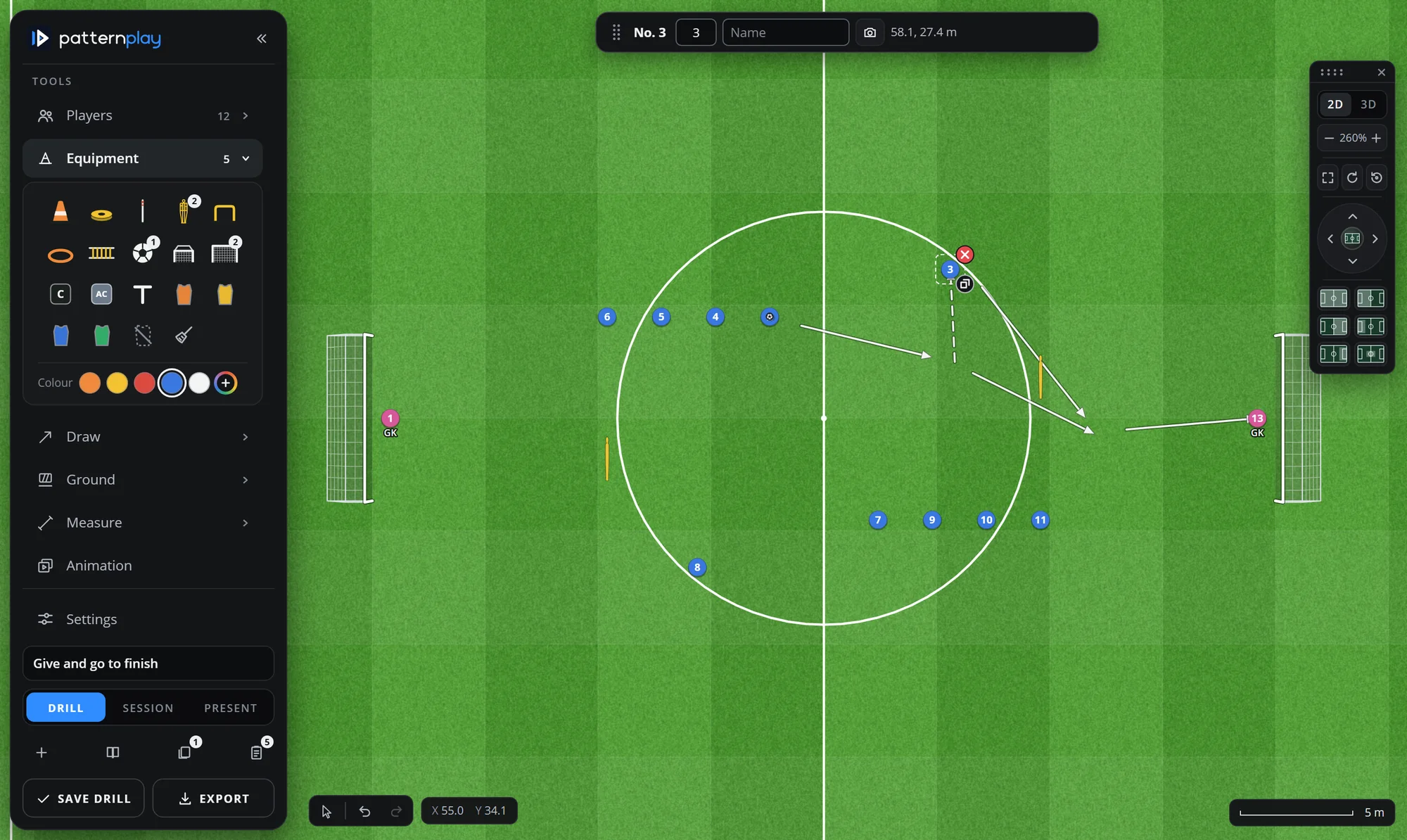
The TacticsPlay board: a finishing drill on a real-size pitch with two goals and keepers, mannequins, a wall pass and a run drawn as arrows, the equipment tray open in the sidebar
  • Built for football coaches
  • Designed around tactical visualisation
  • Made for practical training preparation
  • One simple annual subscription
The problem

Your best training ideas deserve better tools.

  • Drawing drills with slow or awkward methods, on paper or in tools made for something else.
  • Recreating the same exercise again and again for every session.
  • Struggling to show movement and positioning so that players and staff read it the same way.
  • Training material that looks different every week.
  • Time spent on presentation instead of coaching.
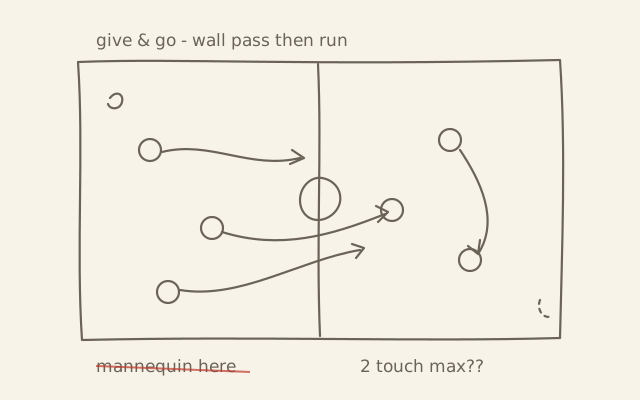
A drill sketched by hand: a rough rectangle, circles for players, wobbly arrows, and a note crossed out
The same drill, drawn in a hurry
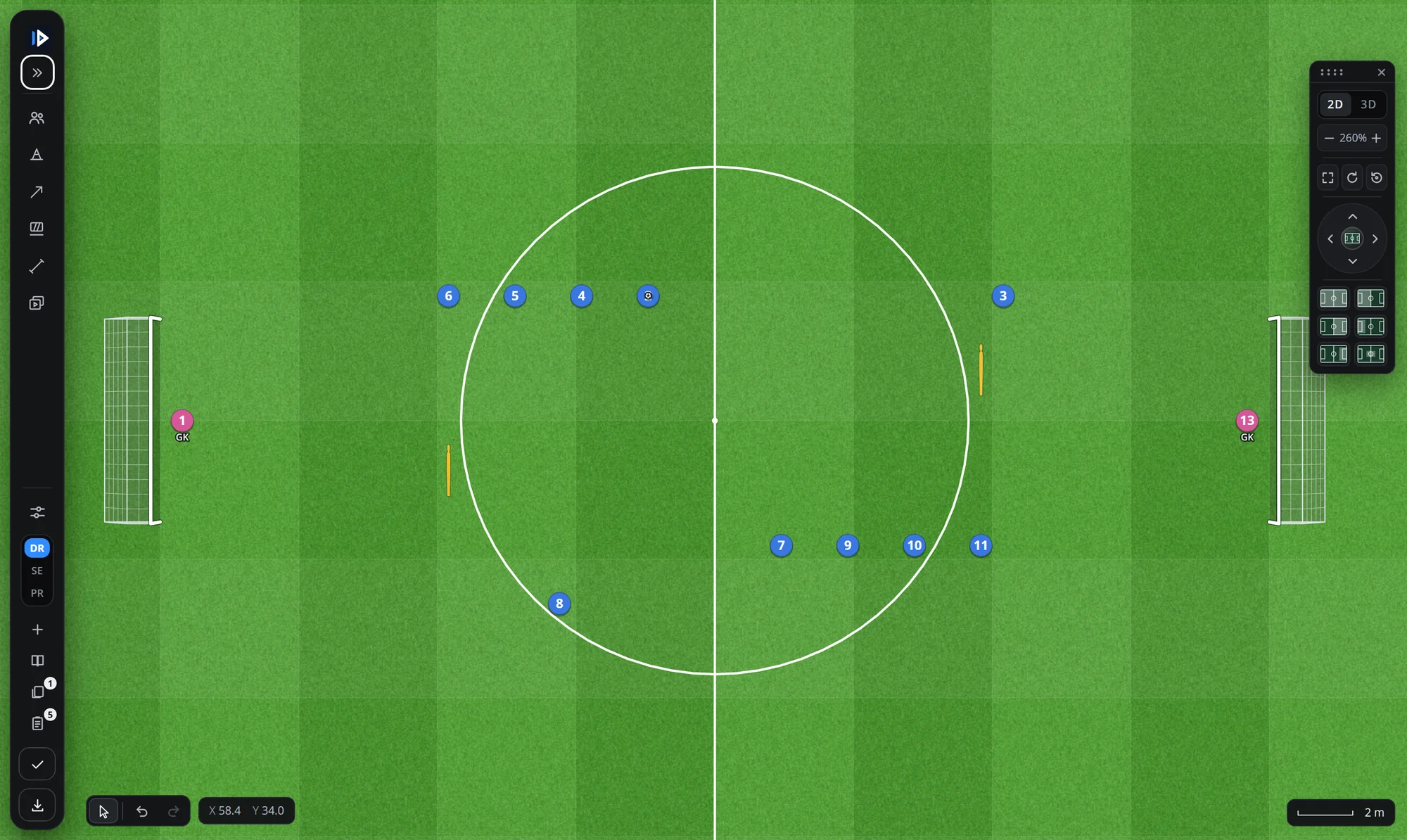
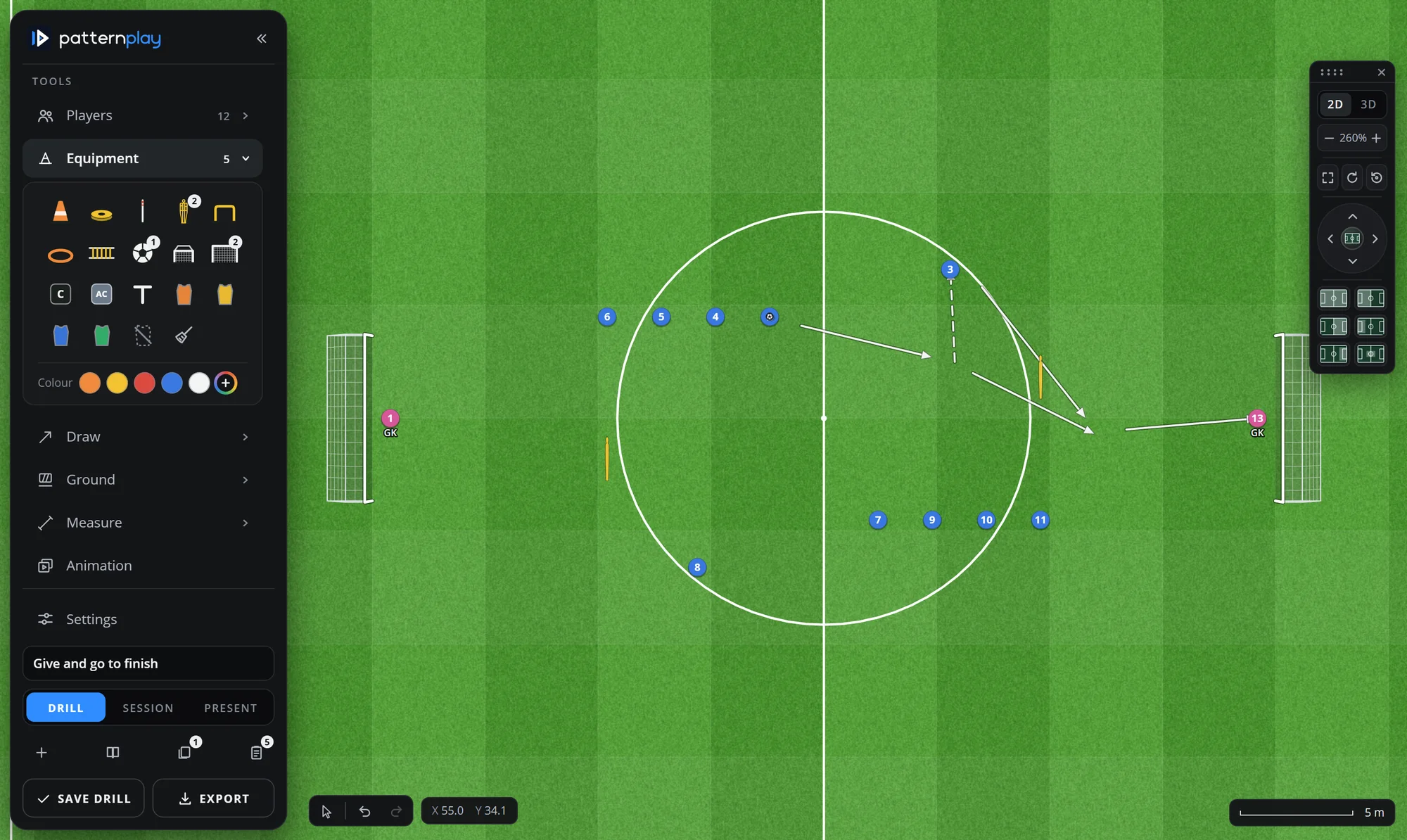
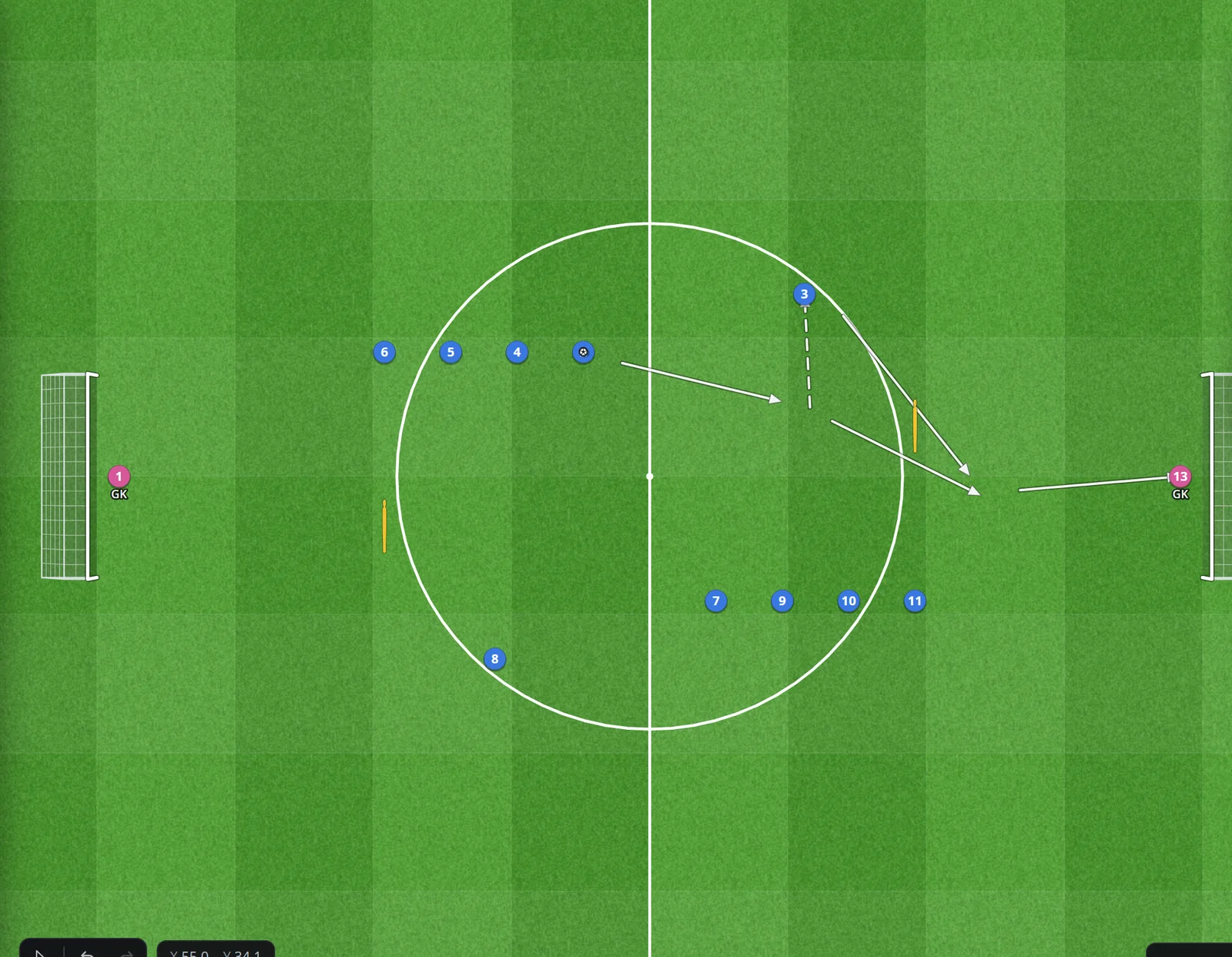
The same give-and-go finishing drill on the TacticsPlay board: numbered players, two mannequins, a dribble, the wall pass, the run and the shot drawn as clear arrows
On the TacticsPlay board
The product

Everything starts with the drill.

A real-size pitch, your players, the equipment, and the lines that explain the movement. Every picture below is the application itself.

A pitch at real size

The board is a true 105 × 68 m pitch, or any size you set. Equipment snaps to the markings and to a 5 m grid, so a 40 × 30 m exercise is really 40 × 30 m, and the measuring tool tells you the distance of every run.

  • Full pitch, half pitch or your own area, turned and zoomed as you like
  • Cones, discs, poles, mannequins, hurdles, ladders, goals, mini goals, balls, bibs
  • Lines and coloured areas painted on the grass
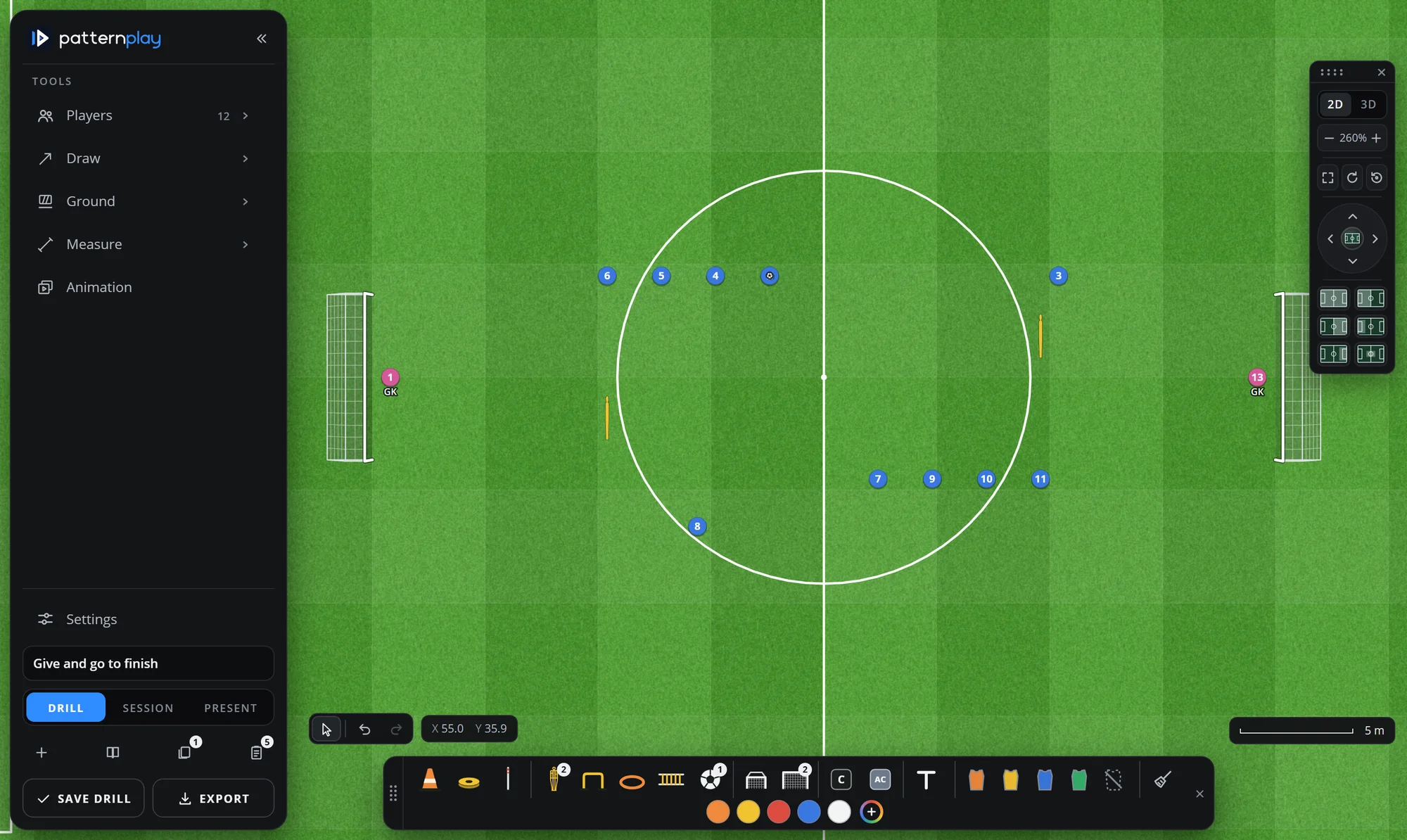
The board with the equipment tray as a row at the foot: cones, discs, poles, mannequins, hurdles, ladders, goals, bibs

Your players, not circles

Keep your squad in TacticsPlay: numbers, names, positions and photos, for your team and for the opponents you play. Put a 4-3-3 on the pitch in one click, drag a player from the list, and every player carries his number and name.

  • Formations in one press, half-pitch attack against defence
  • Team and goalkeeper colours, team logos, bibs
  • Saved opponents, so a match-week plan uses the real line-up
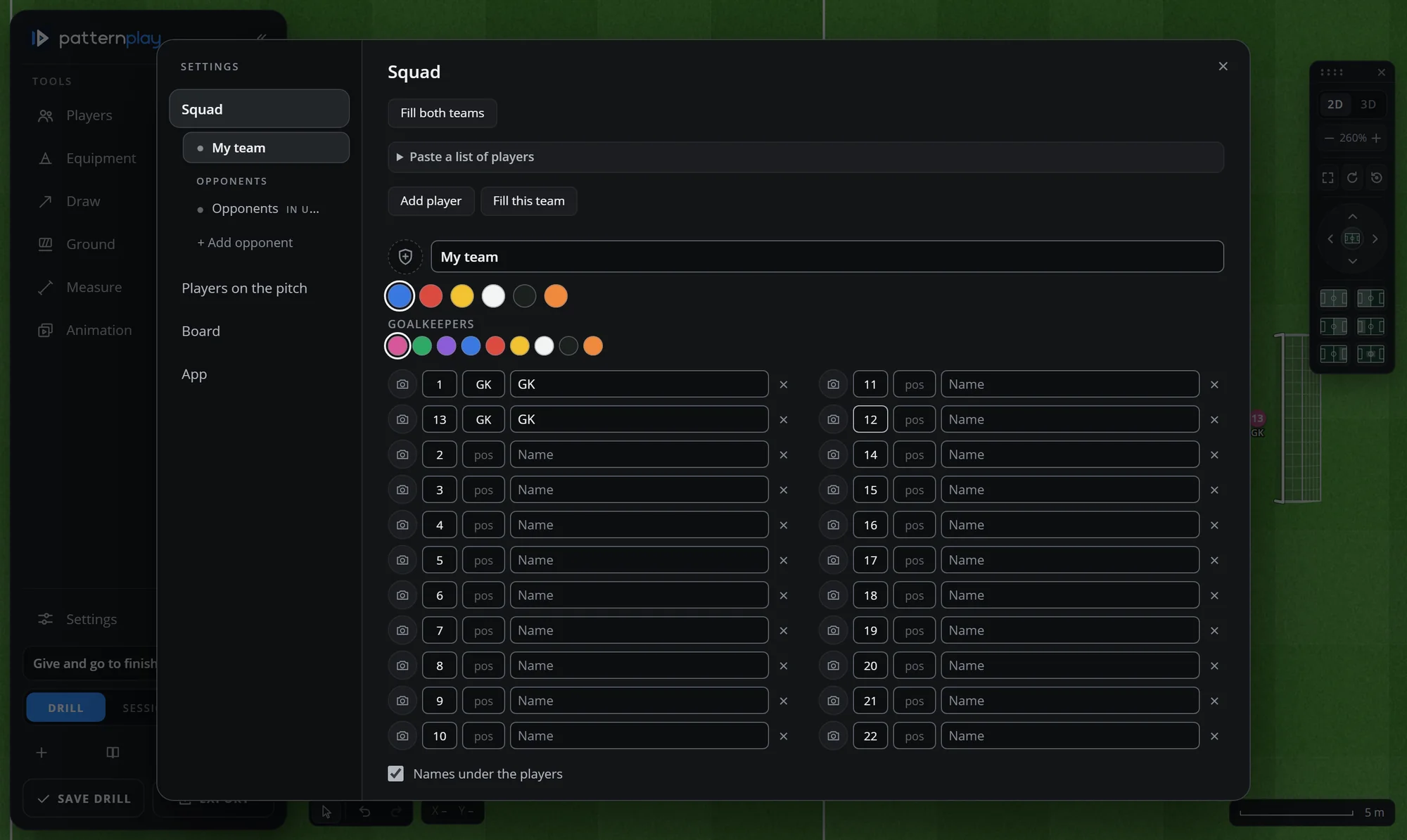
The Squad settings: team name and colours, goalkeeper colours, and twenty-two players with numbers, positions and names in two columns

Movement that reads at a glance

Six line styles for the ball and the runner: passes, runs, dribbles, straight or freehand. Select any player or piece and change it in the bar on the board: size, rotation, duplicate, delete.

  • Solid, dashed, wavy and dotted lines, with or without arrowheads
  • Any colour, any thickness; a whole path through all the steps
  • Undo and redo for everything
A player selected on the board: his details bar at the top shows number, name and photo, and the arrows of the drill

Animate the pattern, step by step

Add steps, move the players and the ball in each one, and play the sequence at the speed you choose. The animation shows what a static picture cannot: who moves first, where, and how far.

  • Up to many steps, each with its own timing
  • Ball and players move together, at half speed or three times as fast
  • A distance count for every player across the whole drill
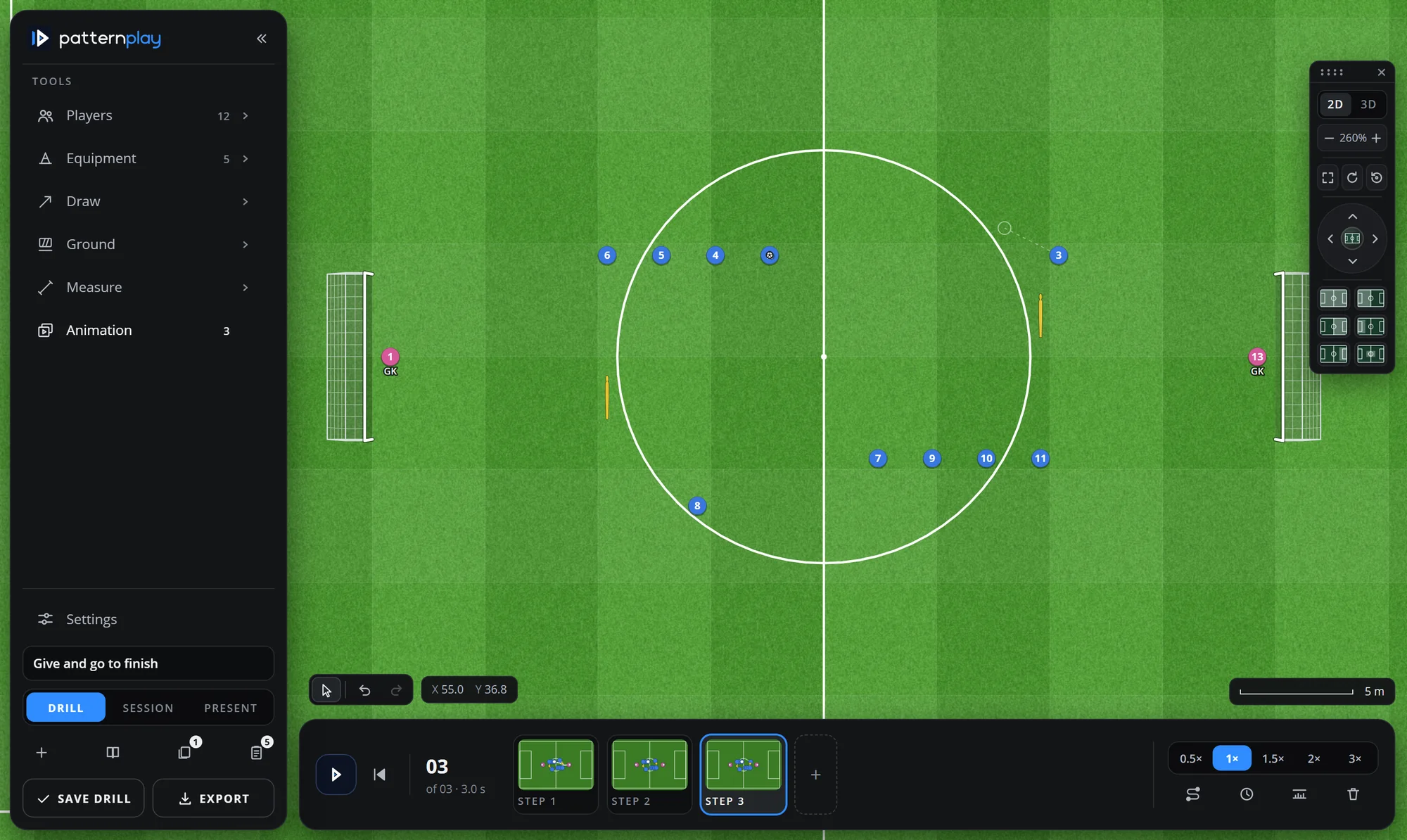
The animation strip at the foot of the board: play, three steps as small pictures, and the speed switch

A 3D view for the players' eyes

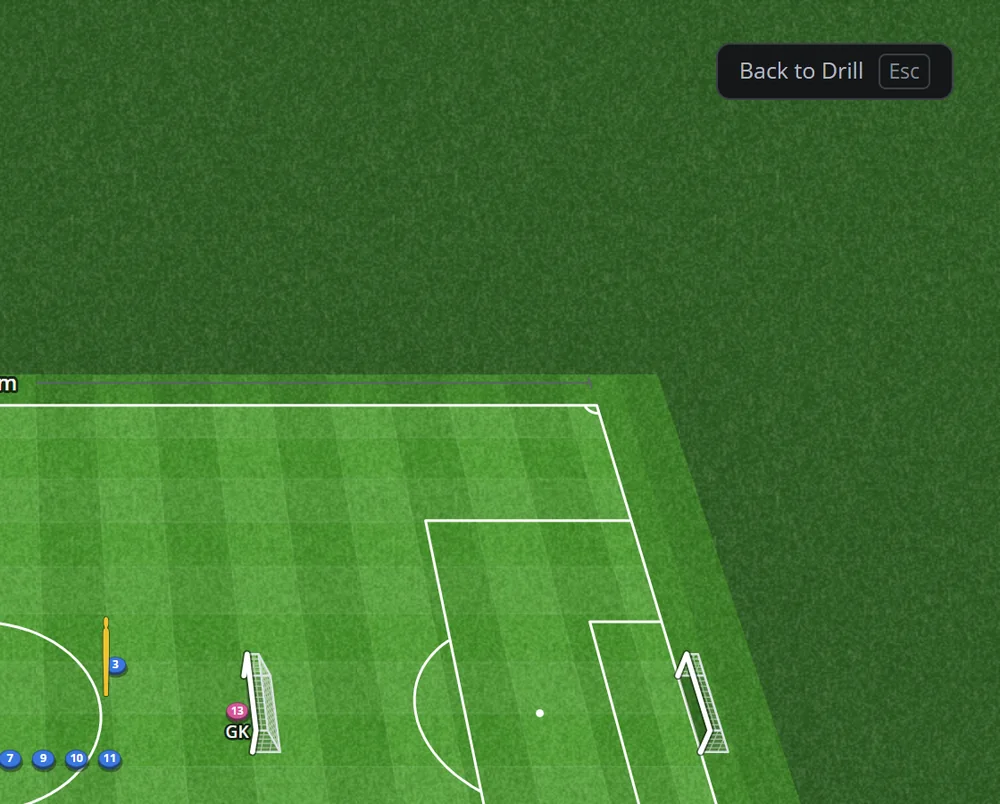
Tilt the same drill into a 3D view to show it the way the players will see it from the pitch. One click back to 2D for the plan view.

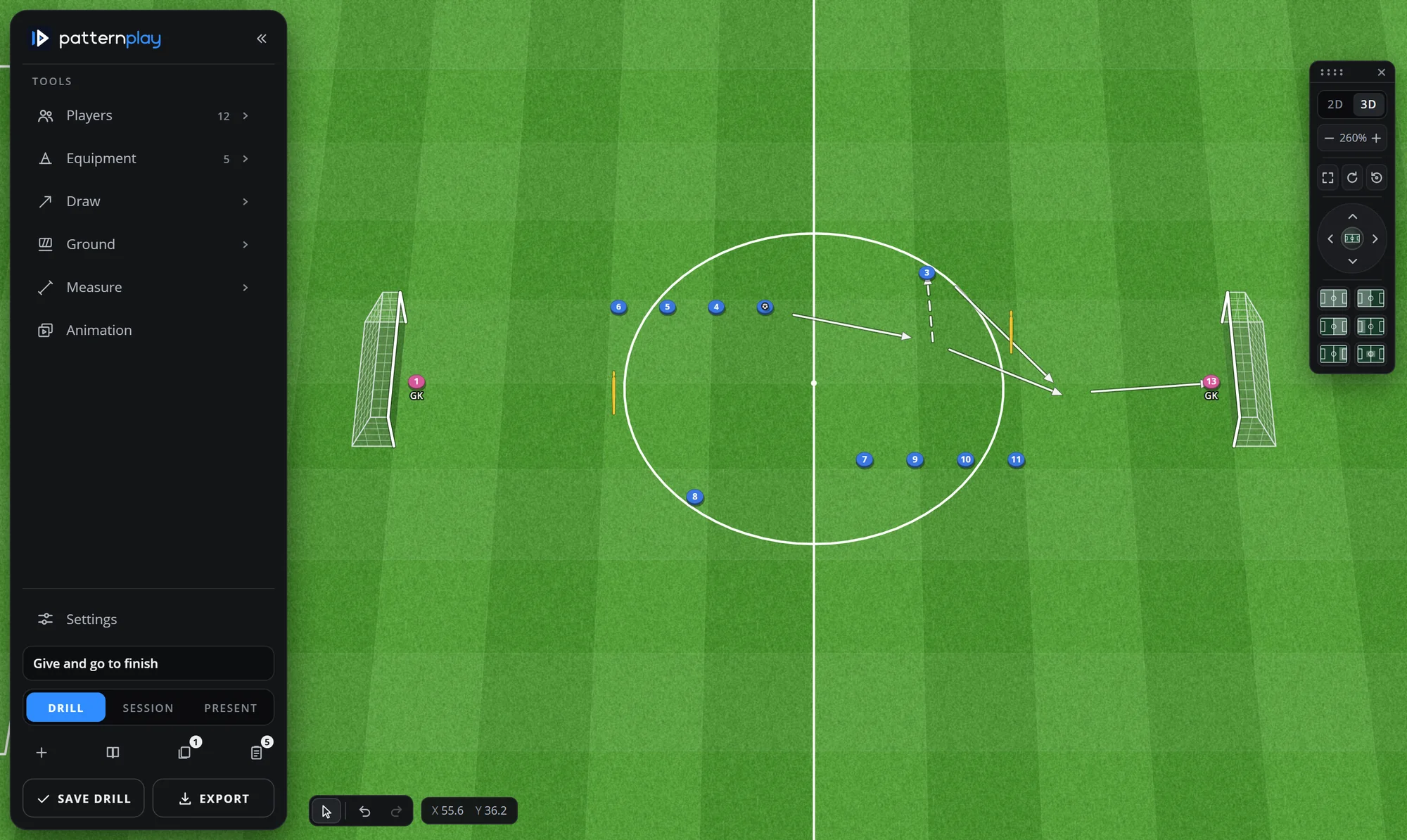
The same finishing drill in the 3D view, the pitch seen at an angle with the goals standing up
Beyond the single drill

From one drill to the whole session.

Build the session, print it, bring the kit

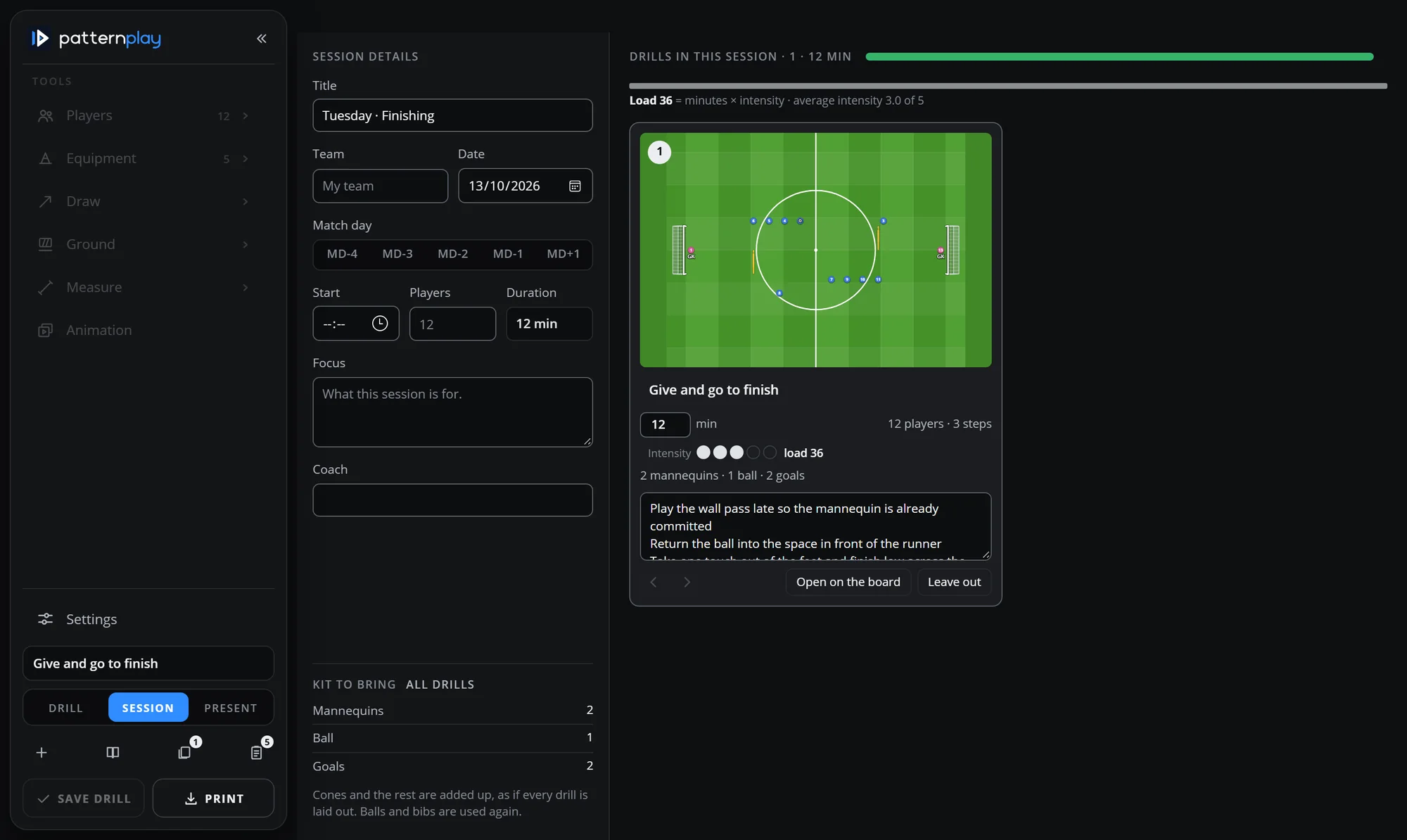
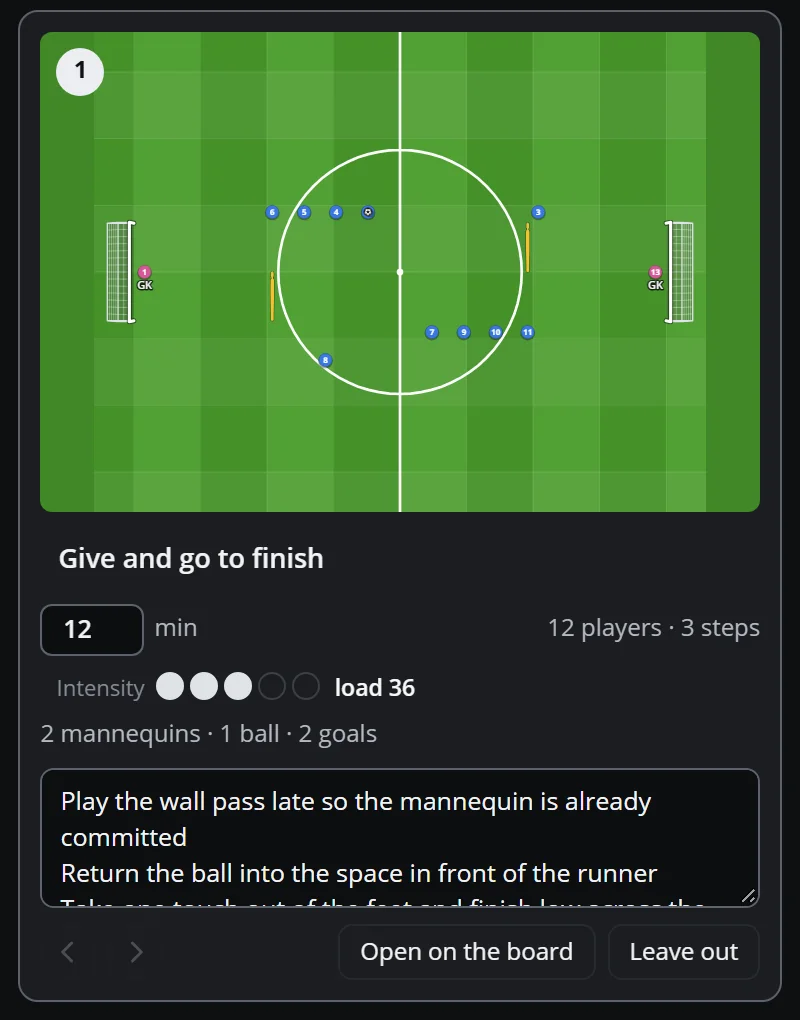
Put your drills in order, give each its minutes and intensity, and TacticsPlay adds up the load and the kit to bring. Give the session a title, a date, a match day and a focus, then print it or export it.

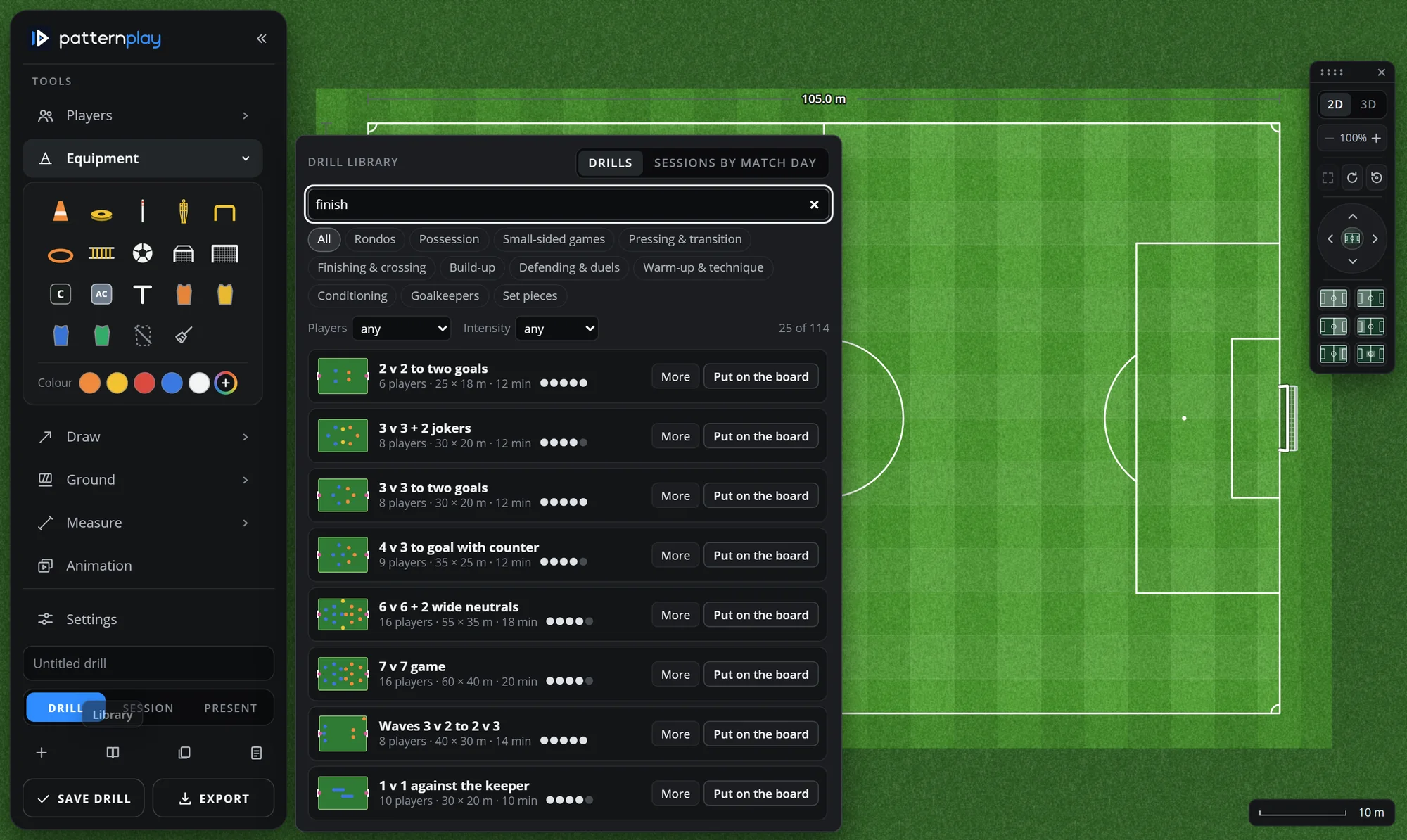
A library of over one hundred drills, from rondos to pressing games, sits inside the app: pick one and it is set up on the board at real size with players from your squad.

The Session page: title, team, date, match day, start, players and duration on the left; the drill card with its picture, minutes, intensity and coaching points; the kit to bring

Professional presentation

Present mode shows the drill large, with the coaching points beside it, step by step. Export a picture for the whiteboard, the group chat or the session plan.

Present mode: the drill title and the numbered coaching points beside the pitch

Your workspace, your way

One sidebar holds every tool. Drag any card out of it and snap it where you want it: a strip at the foot, a column at the side, a box in a corner. The pitch always takes the room that is left.

The board with the sidebar reduced to icons: the pitch fills the screen

Measure, don't guess

Measure any line or rectangle on the pitch, or press a ready-made preset. Place cones on the points you measured. Every run in the animation has its distance.

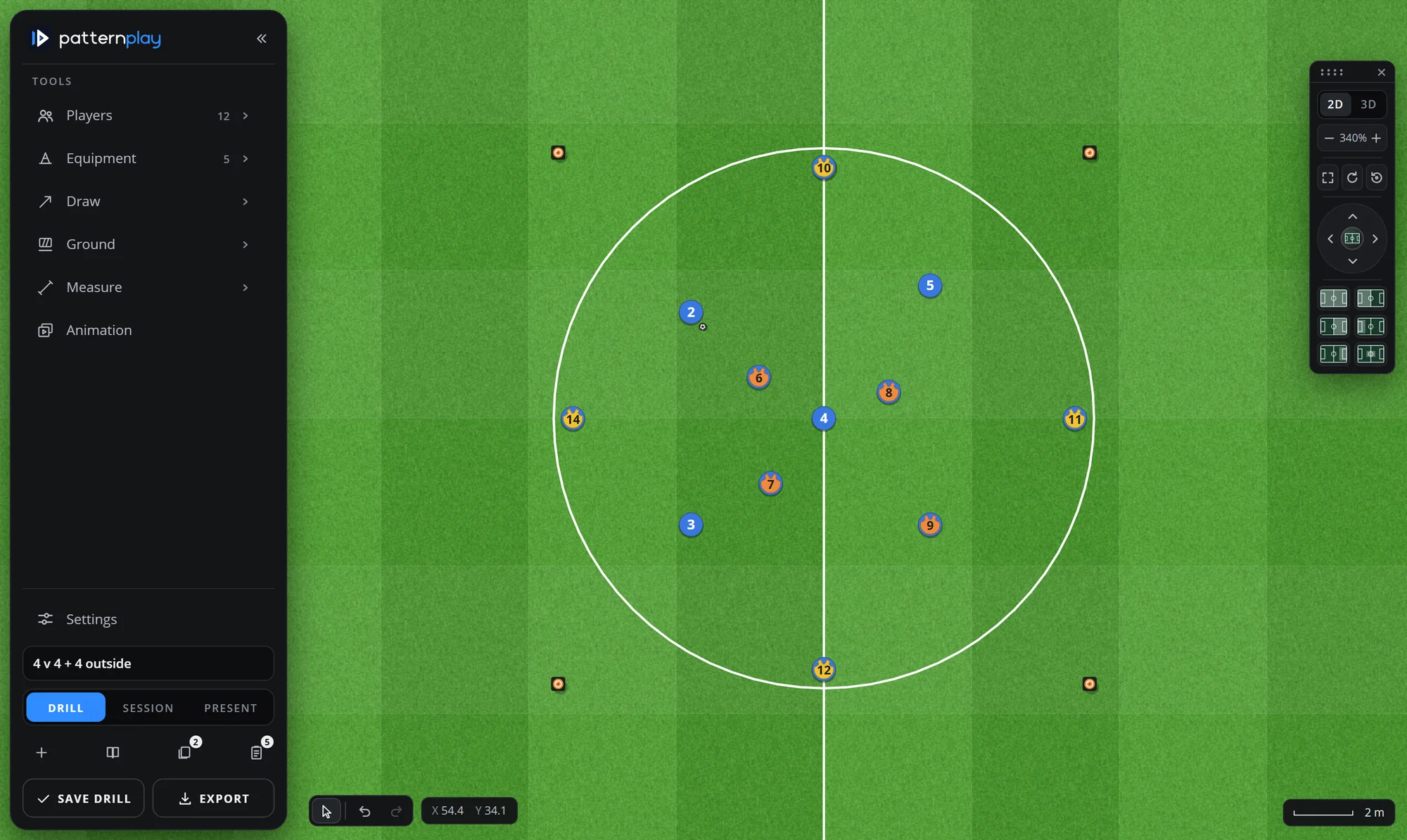
A 4 v 4 + 4 possession drill on an 18 × 18 m area marked with discs, players in three colours
How it works

From football idea to training design.

The drill library: search, categories, and rows of drills with Put on the board
01 — CREATE

Start with a blank pitch or a library drill

Set the area, put your players on, add the equipment. Or search the library, press Put on the board, and adjust.

The drill with its arrows: dribble, wall pass, run and shot
02 — VISUALISE

Draw the movement, animate the steps

Passes, runs and dribbles as lines; steps for the sequence; 3D when the players need to see it from the grass.

A drill card in the session: picture, minutes, intensity, kit and coaching points
03 — PREPARE

Build the session and take it to the pitch

Order the drills, set minutes and intensity, add the coaching points, print or export, and present it to the group.

Who it is for

Built for coaches at every level.

The need is the same on every pitch: say clearly what you want the players to do. The tool is the same too.

Grassroots

Simple drills that the whole group understands in a minute, with the kit list for the car.

Youth development

Age-group sessions with the right area sizes, built from the library and your own patterns.

Academies

One consistent look for every coach's session plan, printed or shared.

Semi-professional

Match-week preparation with the real opponents' line-up and your own squad.

Professional

Tactical patterns animated step by step, measured to the metre, presented to the group.

TacticsPlay was built by a football fitness coach for his own sessions first. Every feature on this page is in the application today.

Pricing

Professional football drill design. One simple price.

Everything included in the TacticsPlay subscription, for one straightforward annual price.

TacticsPlay
€99/ year

Full-year access to TacticsPlay and everything in it.

Get TacticsPlay — €99/year
  • The drill board: real-size pitch, players, equipment, lines, areas, measuring
  • Animation with steps, 2D and 3D views, Present mode
  • Your squad and saved opponents, formations, bibs
  • Sessions with load and kit list, print and export
  • The drill library, over one hundred drills
  • Works in the browser on laptop, Mac and iPad

Price in euro. To confirm VAT treatment, renewal and cancellation terms: see the Terms.

Why one price

A coach does not need three tiers to compare. TacticsPlay has one subscription and it includes the whole application: the board, the animation, the squad, the sessions and the library.

The subscription is billed once a year. There is no monthly plan.

Questions first?

The FAQ covers devices, renewals and support. For anything else, write to us.

FAQ

Questions coaches ask.

What is TacticsPlay?

A web application for designing football training drills and tactical patterns. You draw on a real-size pitch with your own players and the equipment you use, animate the movement in steps, and build the drills into a session you can print or present.

Who is TacticsPlay designed for?

Football coaches at any level: grassroots, youth, academy, semi-professional and professional, and the staff who prepare training with them. It was built by a coach for his own sessions first.

What can I create with TacticsPlay?

Drills and tactical exercises on a pitch at real size: players, cones, discs, poles, mannequins, hurdles, ladders, goals, balls and bibs; passes, runs and dribbles as lines; painted lines and areas; step-by-step animations; a 2D or 3D picture; and sessions made of several drills with minutes, intensity, coaching points and the kit to bring.

How much does the subscription cost?

€99 a year, for the whole application.

Is the subscription billed monthly or annually?

Annually. There is no monthly plan.

How do I access the application after purchasing?

To confirm After the purchase you sign in at the address you are given and TacticsPlay opens in your browser. (For the owner: describe the real sign-in flow once the checkout is connected.)

Which devices and browsers are supported?

TacticsPlay runs in a modern browser, no installation: Chrome, Edge and Safari on Windows, Mac and iPad. The board is made for a mouse or a finger; a screen of tablet size or larger gives the best picture. Phones are supported for viewing.

Can I use TacticsPlay for youth and senior football?

Yes. The pitch and every area can be set to the size you use, and the library has drills from rondos for small groups to 7 v 7 and 11 v 11 games.

Does TacticsPlay offer a free trial?

To confirm (For the owner: say whether there is a trial. The website does not promise one.)

How do renewals and cancellations work?

To confirm (For the owner: state the real renewal and cancellation terms. Nothing is claimed here until they are confirmed.)

How can I get technical support?

Write to hello@tacticsplay.com. To confirm (For the owner: confirm the support address and the response time you can keep.)

Spend less time drawing. More time coaching.

Bring your football ideas to life on a purpose-built drill-design board.